No new stack to learn
Your team keeps the framework it already runs well, which is usually worth more than any framework feature.
YOUR STACK, SHOPIFY’S DATA
The Storefront API is the GraphQL interface that lets any front end read products, collections and inventory from Shopify and drive a cart through to checkout. Building against it directly, rather than using Hydrogen, makes sense when you already have a front end stack your team knows, when the storefront is one surface among several, or when the commerce layer sits inside a larger application.
IN SHORT
A GraphQL endpoint for everything a customer-facing application needs: products, variants, collections, inventory, metafields, search, and the cart mutations that build an order. It deliberately stops at checkout: the cart is exchanged for a Shopify checkout, and payment stays on Shopify’s side of the line.
| Hydrogen | Storefront API directly | |
|---|---|---|
| Framework choice | React, on React Router | Anything your team runs |
| Caching | Opinionated, built in | Yours to design |
| Hosting | Oxygen, no extra charge on paid plans | Wherever you already deploy |
| Best when | The store is the product | The store is part of a bigger application |
| Ramp-up for your team | Learn Hydrogen’s conventions | None, if the stack is already yours |
| Escape hatch | Conventions can fight an unusual need | No conventions to fight |
Which surfaces the custom front end owns and where Shopify takes over. Getting this line wrong is what produces the projects that rebuild checkout by accident.
Every page mapped to the queries it needs, scoped to the fields it renders. A page that fetches a whole collection to show six products will throttle in production; the same page with a scoped query will not.
Per resource, not per site. Product copy and collection structure tolerate minutes of staleness. Inventory and price usually tolerate none, and pretending otherwise oversells items you cannot ship.
Cart created and mutated through the Storefront API so that discounts, gift cards and market-specific pricing are calculated by Shopify rather than reimplemented in your front end.
The cart becomes a Shopify checkout URL. Local payment methods, taxes and duties keep working because that logic never moved.
Query cost, cache hit rate and error budget monitored from launch, since the failure mode here is gradual throttling under traffic rather than an outage you would notice.
Your team keeps the framework it already runs well, which is usually worth more than any framework feature.
When the store is one surface in a portal, marketplace or app, the API fits where a storefront framework would not.
Move the routes that justify it and leave the rest on Liquid. Reversible, and much cheaper to abandon if the benefit does not appear.
Pricing, discounts, taxes, duties and checkout stay where they are correct rather than being reimplemented.
The interfaces clients ask headless for are usually the ones we have already built inside Shopify: the Eat Cake Today capacity engine, where vendor lead times decide which delivery slots appear at checkout, and the Tayst bundle builder, which captures a multi-step configuration and hands it to Recharge. Neither needed a headless front end, and that is the lesson of this page.
Clients from the roster whose work this page describes. Each links to what we built.
Eat Cake Today is a funded Malaysian startup that sells cakes from many local bakers and kitchens and delivers them the same day. We built the Shopify storefront and the back end behind it: each vendor's capacity and each cake's making time decide which dates and times a shopper is offered, and each order goes straight to the kitchen and a rider. The service now covers three to four cities.
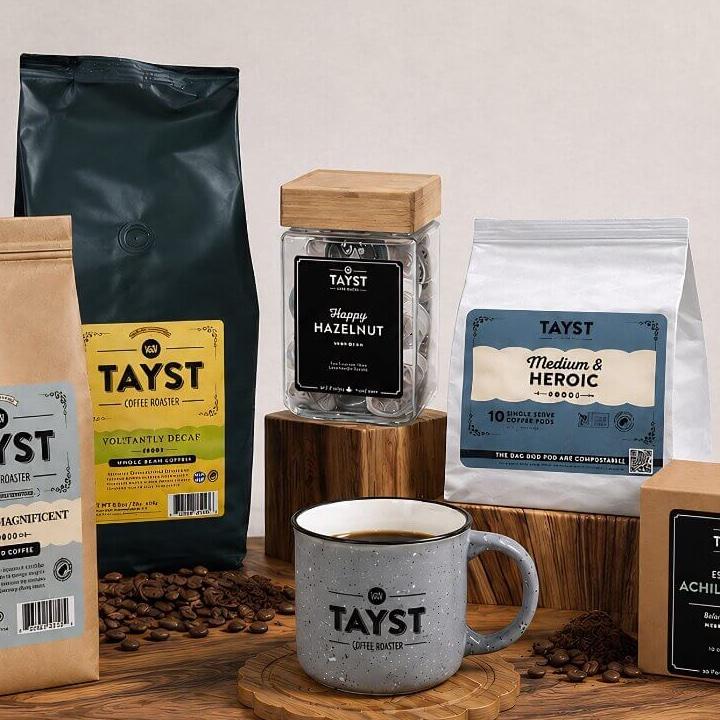
READ THE STORY →Tayst launched a new brand of compostable single-serve coffee pods. We built the Shopify store and a guided builder: shoppers say how they brew, how many drinkers there are, which roast they like and how many cups they need, get a recommended mix they can change, and the bundle becomes a Recharge subscription with a 15% discount. Tayst has grown about 20% month on month.
READ THE STORY →Hydrogen if you have no strong existing front end preference, since it gives you routing, caching and Oxygen hosting for free. The Storefront API directly if your team already runs a framework well, or if the store is part of a bigger application where Hydrogen’s conventions would fight you.
Only if the query design ignores them. The Storefront API charges by query cost, so a page that fetches a whole collection to display six products will throttle under load while a properly scoped query on the same page will not. This is a design decision, not a platform limit.
Yes, and it is often the sensible answer. Running a headless front end for the pages that need it while the rest stays on the theme limits both cost and risk, provided the URL structure and the analytics are planned as one site, not two.
A GraphQL API that exposes products, collections, inventory and cart operations to any client application. It is the interface that makes headless Shopify possible, and it is available on every Shopify plan rather than being a Plus-only feature.
Yes, by query cost rather than request count. Each query is assigned a cost based on how much data it could return, and an application draws from a replenishing bucket. Well-scoped queries rarely come close; a single over-broad query on a busy template will exhaust it.
No. The Storefront API is available on standard Shopify plans. Plus matters for checkout customization, higher API limits and Oxygen hosting, not for headless access to your catalog.
Shopify’s own React framework and hosting, the shortest path to headless that keeps you inside supported territory.
Editorial content in Sanity or Contentful, product data in Shopify, composed into one front end without either team blocking the other.
Moving an existing theme to a headless front end without losing URLs, SEO or the merchandising your team relies on.
NEXT STEP
Most stores that ask about headless have a theme or app problem instead. A senior engineer will tell you which one you have, at no cost.