Checkout customization
Checkout extensibility and Shopify Functions are Plus territory. If your checkout needs logic, that is the argument.
TWO DIFFERENT PROBLEMS
Older Shopify themes and BigCommerce stores rebuilt on Shopify Plus with the data and search equity carried over. A legacy Shopify theme is often the harder of the two, because years of app code and abandoned sections have to be untangled before anything is rebuilt.
IN SHORT
It sounds like the easy job. You are already on Shopify. Surely rebuilding the theme is straightforward compared to changing platform entirely?
A store that has been on Shopify for six or seven years has accumulated a great deal. App snippets from apps long uninstalled. A checkout script somebody added for a promotion. Three generations of custom code from three different agencies, none of it documented, some of it load-bearing in ways nobody remembers.
A BigCommerce migration at least has clean boundaries: export the data, build the new store, map the redirects. A legacy Shopify rebuild starts with archaeology, and the audit that comes out of it is usually worth the fee on its own.
| BigCommerce migration | Legacy Shopify rebuild | |
|---|---|---|
| Data migration | Full: catalog, customers, orders | None, data stays put |
| Redirect work | Full map from live URLs | Usually minimal, URLs preserved |
| Main risk | Data fidelity and redirects | Undocumented customizations |
| Apps | Replaced with Shopify equivalents | Audited, most removed |
| Typical timeline | 8 to 14 weeks | Often faster |
| What you gain | A platform that maintains itself | A theme that is cheap to change |
Six stages, with stage four applying only to BigCommerce moves.
Before anything is rewritten we establish what the current theme and apps do, including the customizations nobody documented and the features only one person uses.
Years of accumulation get sorted: what is really used, what was for a campaign in 2021, and what is dead code that has been shipping to customers ever since.
Sections, blocks, metafields and app blocks. The architecture that makes a theme cheap to change. This is the whole point of the exercise.
For BigCommerce, catalog, customers and order history are exported, mapped and reconciled. On a legacy Shopify rebuild the data never moves, which removes an entire class of risk.
BigCommerce migrations need a full redirect map from live URL data. Legacy Shopify rebuilds usually preserve URLs, but any structural change still gets mapped and tested.
Published from a staging theme with the previous theme kept for instant rollback, then two weeks watching vitals, checkout and error logs.
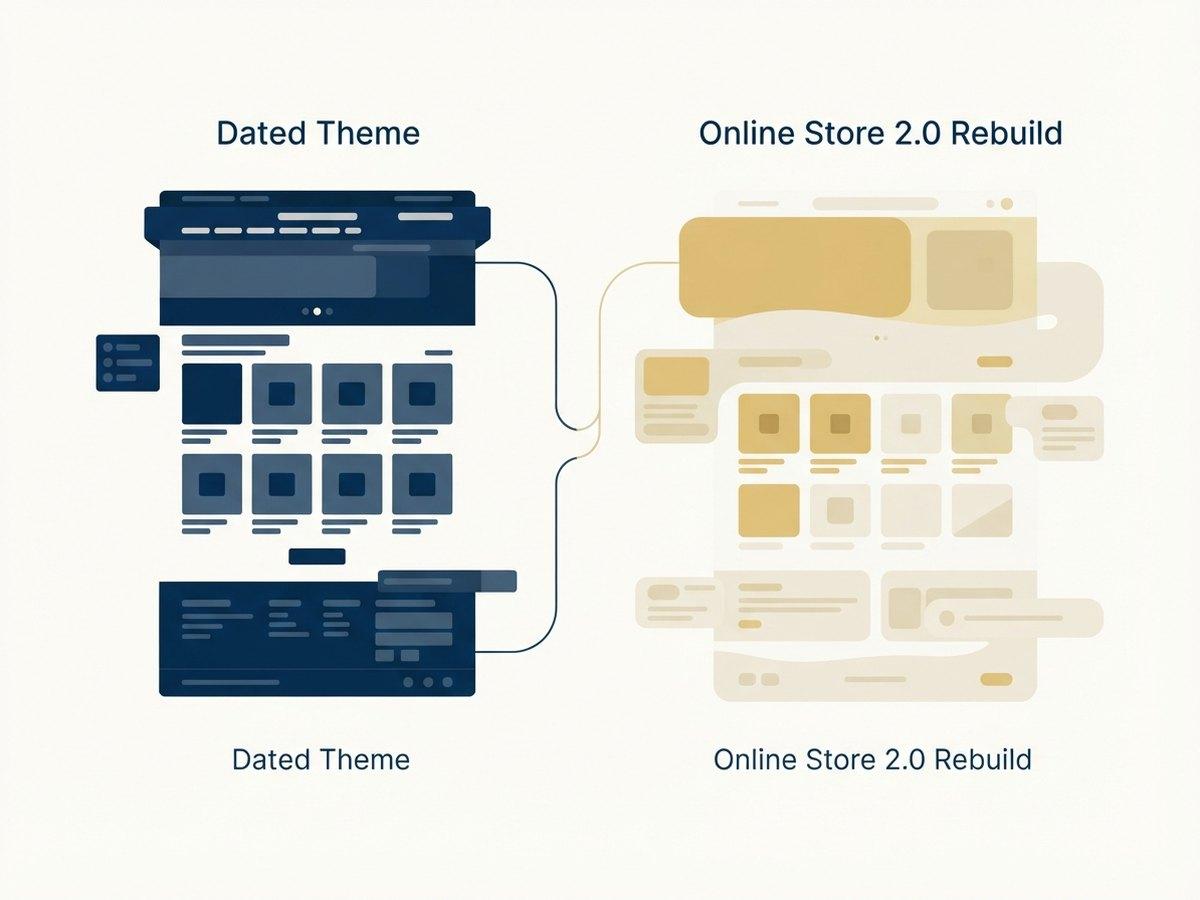
Themes built before Online Store 2.0 hardcode most of their layout. Sections existed only on the homepage, there were no app blocks, and metafields were not a practical content mechanism.
The consequence is that on a pre-2.0 theme, almost any merchandising change is a developer ticket. Adding a content block to a product template, reordering a collection page, letting marketing run a campaign layout: all of it needs code.
Rebuilding on 2.0 turns those into settings. That is the return on the rebuild: not a nicer-looking store but a cheaper-to-operate one. See section libraries for what that looks like.
If a full rebuild is more than you need right now, the same clean-up is available on its own as speed optimization.
Checkout extensibility and Shopify Functions are Plus territory. If your checkout needs logic, that is the argument.
Expansion stores for regions or brands. Often unnecessary if Shopify Markets covers you instead.
Company accounts and price lists alongside DTC, without running a second store.
Worth it when heavy ERP or PIM integrations are pushing against standard rate limits.
If none of those apply, standard Shopify is fine and you can upgrade later. We will not recommend Plus as a default.
Two different jobs with two different price shapes. A legacy Shopify rebuild moves no data; a BigCommerce migration does.
Which job it is●●●●●
A legacy Shopify rebuild is a theme project with no data migration. A BigCommerce move is a full replatform. Costs differ by more than the rest of this list combined.
Age of the legacy theme●●●●
A vintage theme predating Online Store 2.0 means sections cannot be added to most templates. Getting to 2.0 is the work, and it is bigger than the request that prompted it.
Apps and custom code●●●
Code left behind by uninstalled apps, and customizations threaded through theme.liquid, both have to be untangled before anything new is added.
URL structure●●●
BigCommerce URL patterns do not match Shopify. On a legacy Shopify rebuild the URLs usually stay, which removes an entire category of risk.
Catalog complexity●●
Option sets and modifiers in BigCommerce map onto Shopify variants and metafields, which is a modeling decision rather than a transfer.
Which of the two you have is the first thing the audit settles, because it changes the estimate more than anything else on this list.
Big Shoes moved a large footwear catalog from Magento 2 Community to Shopify Plus. Every order came across, each color of a shoe got its own tile on collection pages, and monthly revenue is up about 67% since launch.
READ THE STORY →Grays we migrated and relaunched entirely, and have maintained since. Big Shoes came off Magento onto Shopify Plus. See Magento migrations.
Asked most often by teams who are not sure which of the two jobs they have.
Usually not at launch. Plus earns its cost when you need checkout customization, multiple storefronts, B2B or higher API limits.
When the theme predates Online Store 2.0, usually yes. Sections, metafields and app blocks remove a large amount of the custom code that makes old themes expensive to change.
It is the Shopify theme architecture that introduced sections on every page, app blocks and metafield-driven content. Themes built before it hardcode most of their layout, which is why small merchandising changes on an old theme need a developer and why rebuilding usually pays for itself.
Less than most migrations, because the data does not move. Products, customers and orders stay exactly where they are; only the storefront is replaced. The risk sits in unpicking undocumented customizations, which is what the audit stage is for.
Typically 8 to 14 weeks, depending on catalog size and integrations. A legacy Shopify rebuild is often faster because there is no data migration and no platform change to test around.
The migration we have run most often. Trunki, Big Shoes and Halcyon Nights all came off Magento.
Catalog, customers and order history moved across, with redirects mapped before launch. Dekoni Audio ran this route.
Enterprise replatforming without an enterprise timeline. The route Chicco took.
Five phases from the inventory to the weeks after launch, with the SEO and cutover steps that get missed.
NEXT STEP
Bring your catalog size, integrations and storefront count. You leave with a phased plan and a timeline in writing.